Creating a home office that feels both cozy and productive can significantly improve your work-from-home experience. Whether you are working remotely full-time or using a dedicated space for occasional tasks, designing an environment that combines comfort with efficiency will help you stay focused and motivated. Here are practical tips and ideas to help you set up the perfect home office space.
Choose the Right Location
Selecting the right spot for your home office is the first step to success. Ideally, find a quiet corner or a room with minimal distractions. Natural light is a big advantage, so consider placing your desk near a window if possible. Good lighting can reduce eye strain and boost your mood.
If space is tight, don’t be discouraged. Even a small nook or a section of your living room can be transformed into a functional workspace with the right layout and furniture.
Invest in Comfortable and Functional Furniture
Your office furniture should prioritize your comfort and support productivity.
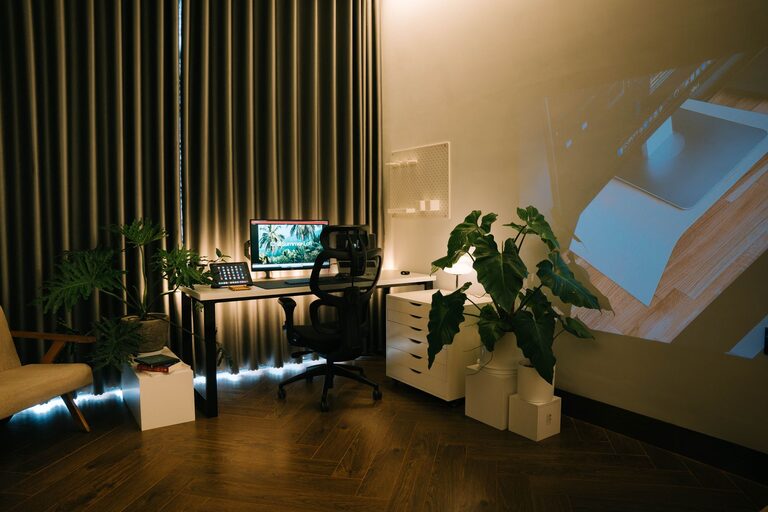
– Ergonomic chair: A chair with adjustable height and lumbar support will keep your back healthy during long working hours.
– Desk: Choose a desk with enough surface space to hold your computer, notebooks, and other essentials without feeling cluttered.
– Storage: Use shelves, filing cabinets, or storage boxes to keep your workspace organized and avoid distractions.
Consider a standing desk or a convertible desk option if you want to alternate between sitting and standing during the day.
Personalize Your Space
Adding personal touches can make your home office feel welcoming and inspiring.
– Decor: Hang artwork, family photos, or motivational quotes to create a positive atmosphere.
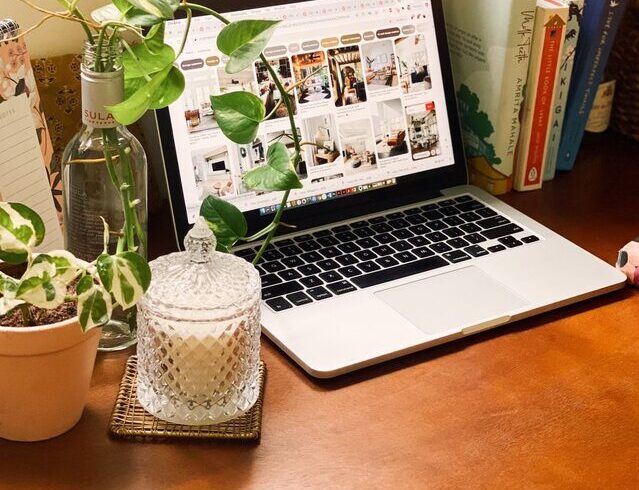
– Plants: Indoor plants can improve air quality and add a lively, calming element to your space.
– Colors: Choose colors that help you focus and feel comfortable. Soft blues and greens are calming, while warm colors like yellows can energize you.
Remember, your workspace should feel inviting but not cluttered, ensuring a balance between professional and personal.
Optimize Lighting
Proper lighting is crucial for maintaining focus and reducing eye fatigue.
– Natural light: Try to maximize daylight exposure while reducing glare on your screen using curtains or blinds.
– Task lighting: A desk lamp with adjustable brightness helps you focus on detailed work.
– Ambient lighting: Soft overhead or wall lighting creates a comfortable mood without harsh shadows.
Adjust your lighting based on the time of day and your tasks to keep your eyes comfortable.
Organize to Minimize Clutter
A tidy space helps clear your mind and increase productivity.
– Daily tidy-up: Spend a few minutes at the end of each day to put things back in place.
– Use organizers: Drawer dividers, cable management tools, and desktop trays keep your supplies orderly.
– Digitize paperwork: Whenever possible, reduce physical documents by scanning and storing files digitally.
By maintaining an organized workspace, you reduce distractions and create a more efficient workflow.
Set Boundaries
If your home office is in a shared area, set clear boundaries to separate work time from personal time.
– Physical boundaries: Use room dividers, rugs, or specific furniture arrangements to define your office zone.
– Signaling: Use visual or auditory cues, like closing a door or playing specific music, to indicate you are working.
– Schedule breaks: Plan regular breaks to move around and disconnect briefly from work tasks.
Creating boundaries helps maintain focus during work hours and reduces stress by signaling when work ends.
Incorporate Technology Wisely
Having the right technology setup supports a productive day.
– Reliable internet: Ensure your connection is fast and stable to avoid interruptions.
– External monitor: A larger screen or dual monitors can improve multitasking and reduce eye strain.
– Noise-canceling headphones: These help block out distractions, especially when working in busy environments.
Keep cords organized and consider investing in wireless accessories to reduce clutter.
Maintain a Comfortable Climate
Comfort extends beyond furniture and lighting.
– Temperature: Keep your workspace at a comfortable temperature with a fan, heater, or air conditioner as needed.
– Ventilation: Fresh air improves alertness, so open a window if possible or use an air purifier.
– Comfort items: A cozy blanket, cushion, or footrest can make long work sessions more pleasant.
Paying attention to your physical comfort supports productivity and well-being.
Final Thoughts
Designing a cozy yet productive home office is about balancing comfort with functionality. By choosing the right location, investing in quality furniture and lighting, personalizing your space, and keeping it organized, you create an environment where you can focus, create, and succeed.
Take your time to set up your workspace thoughtfully—it’s an investment in both your work and your health. With these tips, you’re well on your way to a home office that supports your best work every day.